This gallery shows every major screen of Adventure Time Ready — the all-in-one group trip command center — rendered from the app's real production UI: Dashboard, Trip Details, Itinerary, Maps, Team, Gear, Tasks, Chat, Weather, Tracking, Emergency/Safety, Planning State, Active Trip State, Photos, and Settings. Each screen below appears in both a mobile/Android frame and a desktop frame in the interactive gallery.
Design language: warm earth tones — #F5F0E6 canvas, #E8DFC8 cards, #d4c9a8 borders — with forest green #3D6E2F navigation and primary actions, terracotta/rust #B3543E section accents, and safety-critical red #dc2626 emergency elements that always render high-visibility red.
1. Dashboard & Trip Details
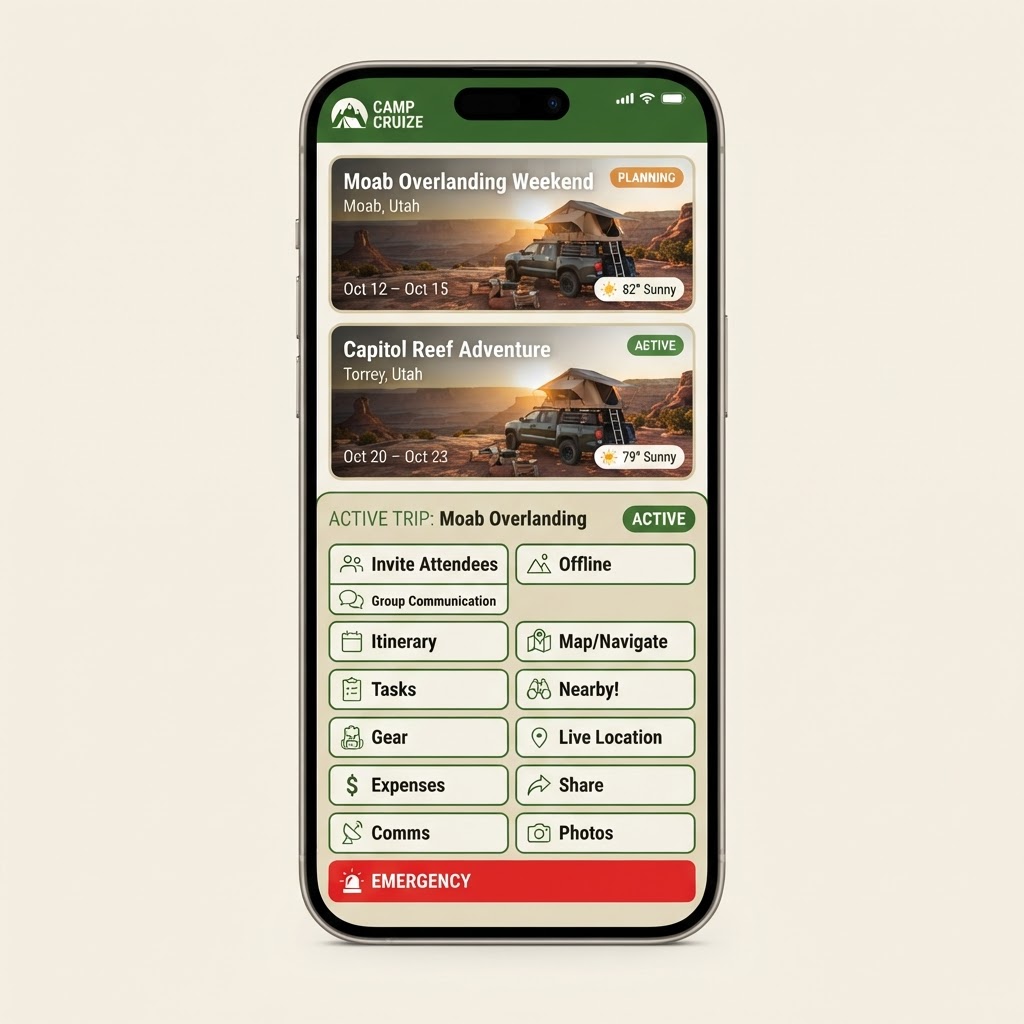
Trip dashboard cards and the full trip details header with status controls and action tiles.
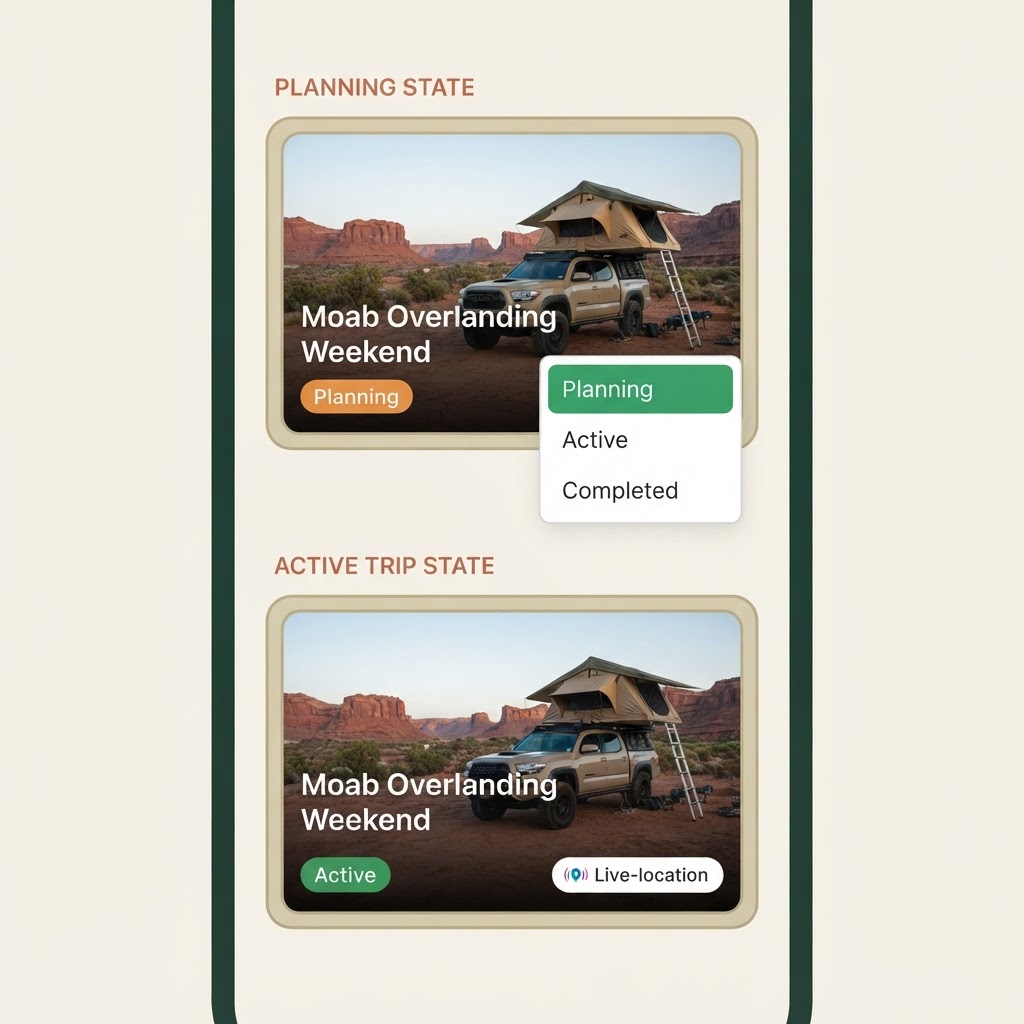
- Trip dashboard cards for the "Demo: Moab Overlanding Weekend" trip in planning and active states, with weather badges.
- Trip details header with the Planning / Active / Completed status control.
- Action tiles: Invite Attendees, Group Communication, Itinerary, Tasks, Gear, Expenses, Comms, Offline, Map / Navigate, Nearby!, Live Location, Share, Photos, and the high-visibility red Emergency button.
2. Itinerary & Maps / Navigation
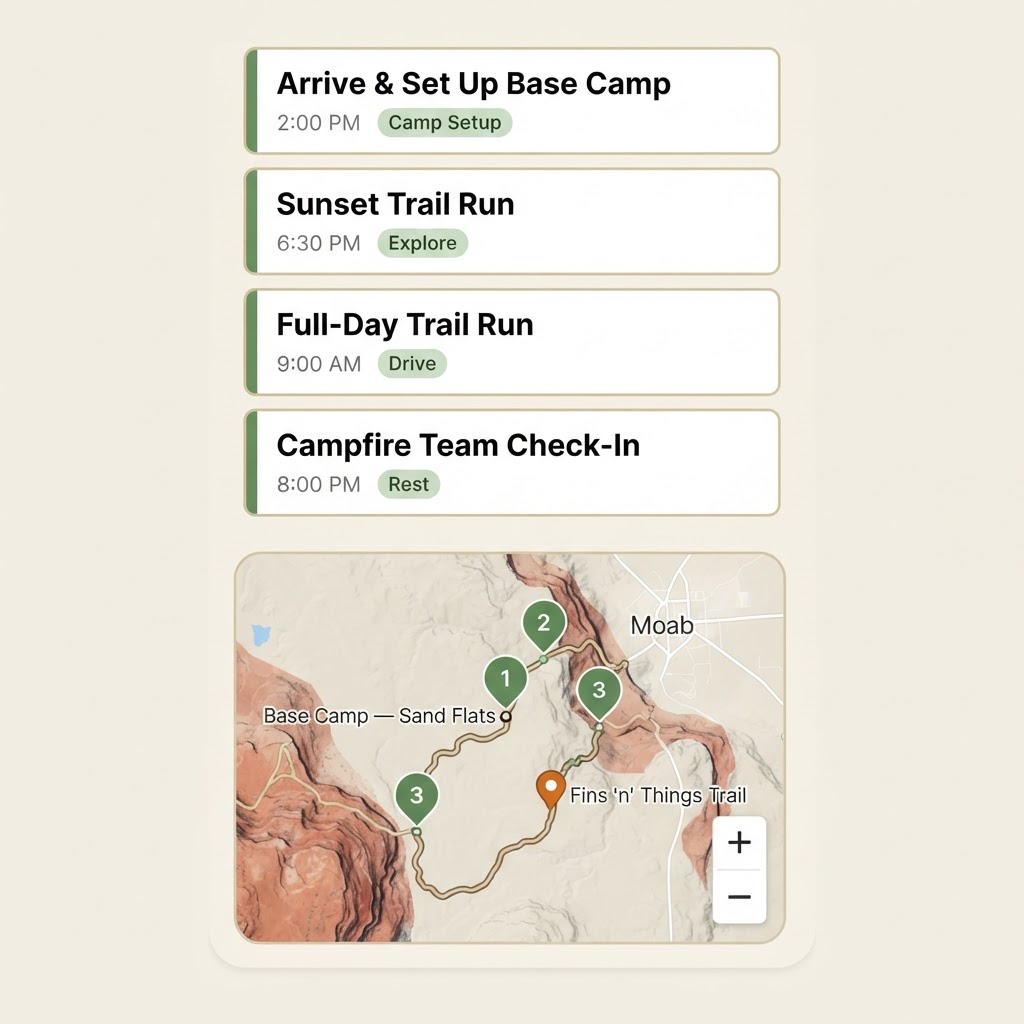
Day-by-day itinerary timeline and the offline-capable trip map with waypoints and navigation apps.
- Day-by-day itinerary timeline: Arrive & Set Up Base Camp, Sunset Trail Run, Full-Day Trail Run, Campfire Team Check-In.
- Offline-capable trip map with numbered waypoint pins: Base Camp — Sand Flats, Fins 'n' Things Trail, Gemini Bridges Overlook.
- Navigation app handoff: Google Maps, Apple Maps, Waze, US Topo Maps, OsmAnd, Gaia GPS.
3. Team, Gear, Tasks & Chat / Communications
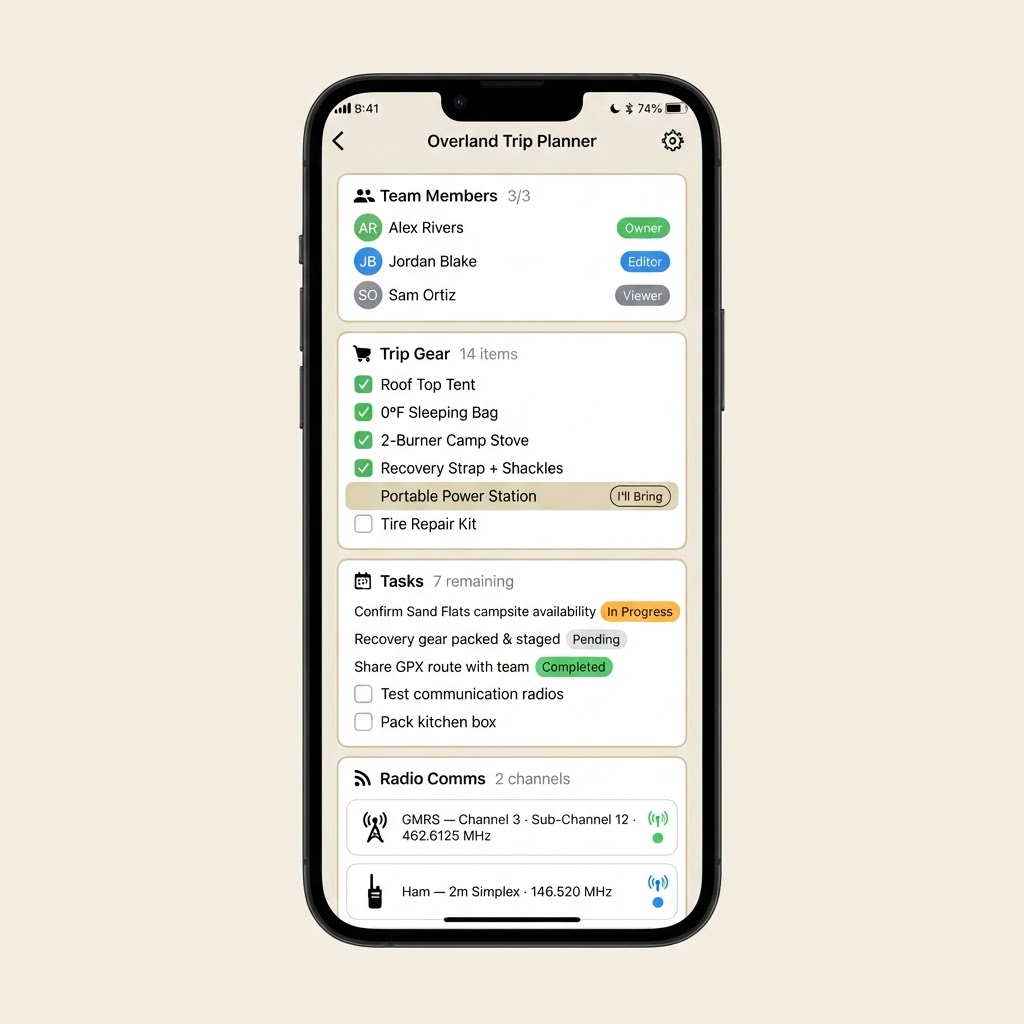
Team members, shared gear checklist, assigned tasks, and trip radio/comms configuration.
- Team members: Alex Rivers (Owner), Jordan Blake (Editor), Sam Ortiz (Viewer).
- Shared gear checklist: Roof Top Tent, 0°F Sleeping Bag, 2-Burner Camp Stove, Recovery Strap + Shackles, Portable Power Station, Tire Repair Kit.
- Assigned tasks with statuses: In Progress, Pending, Completed.
- Trip comms: GMRS Channel 3 (462.6125 MHz) and Ham 2m Simplex (146.520 MHz).
4. Weather, Tracking & Emergency / Safety
Weather forecast, severe weather alerts, live location tracking, and the high-visibility red emergency panel.
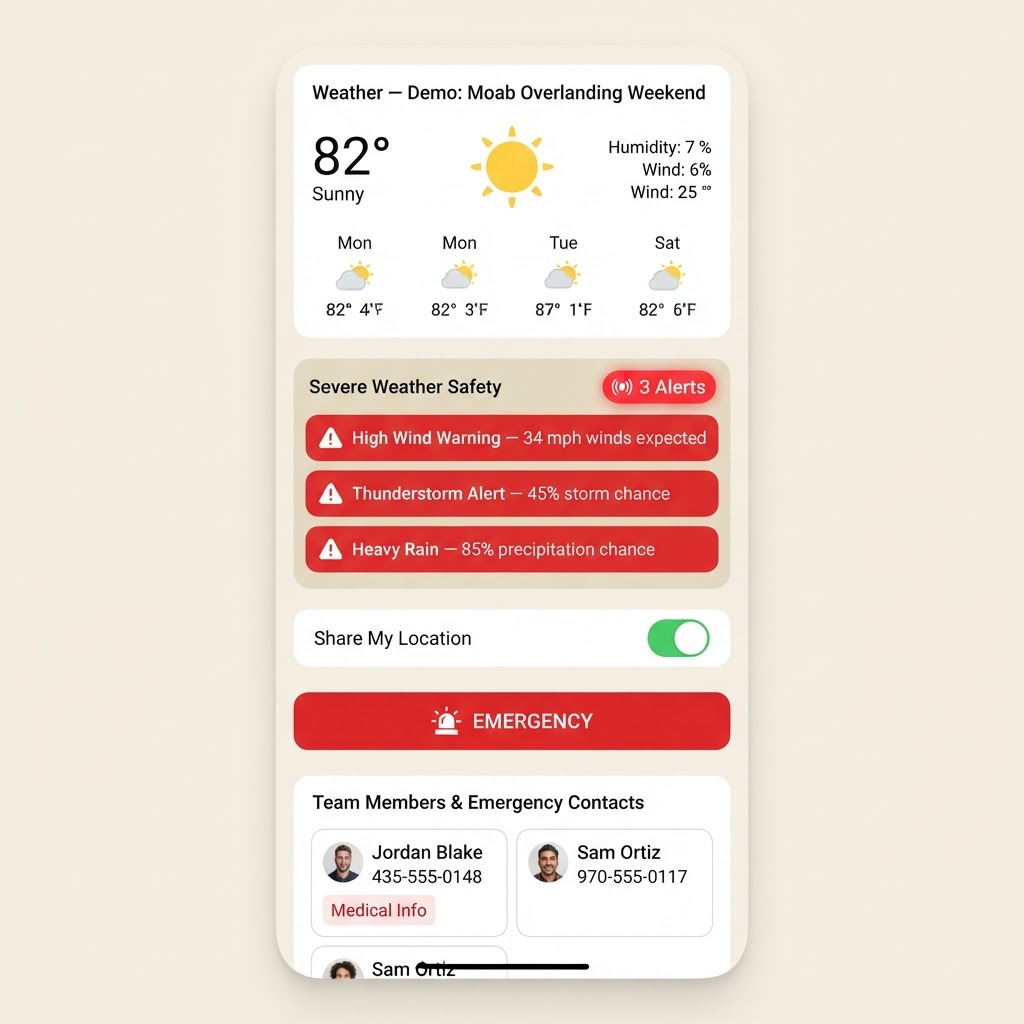
- Weather — Demo: Moab Overlanding Weekend: current conditions plus a multi-day forecast.
- Severe weather alerts with pulsing red alert badge: High Wind Warning, Thunderstorm Alert, Heavy Rain.
- Live location sharing toggle for real-time GPS tracking.
- Emergency panel: cached emergency services, team members' emergency contacts and medical info, behind a high-visibility red emergency button.
5. Planning State vs. Active Trip State
The trip status state machine shown in both phases, side by side.
- Planning state: trip in preparation — dates, gear and attendees still coming together.
- Active trip state: trip is live — tracking, weather alerts and team comms are engaged.
- Status transitions via the Planning / Active / Completed control on the trip details header.
6. Photos & Settings
Trip photo gallery and the admin settings panel.
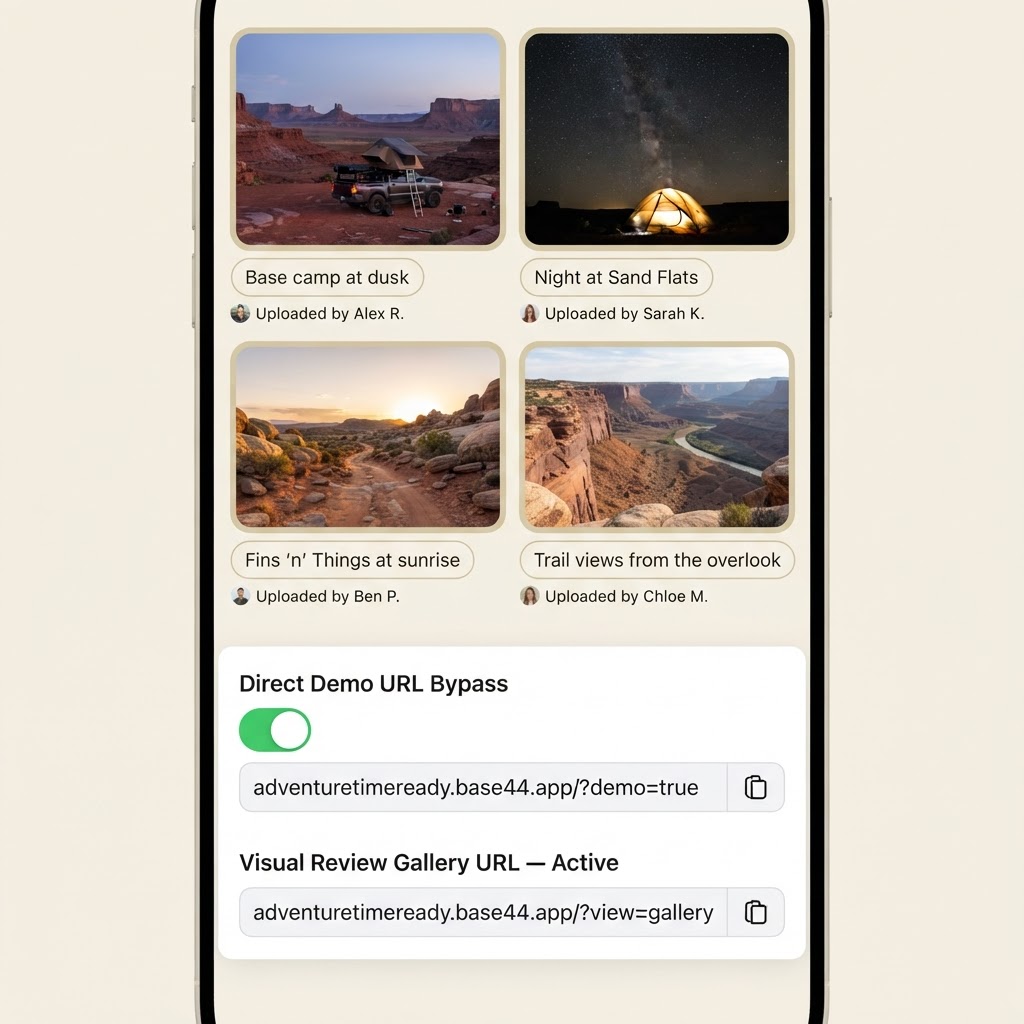
- Group trip photo gallery: Base camp at dusk, Night at Sand Flats, Fins 'n' Things at sunrise, Trail views from the overlook.
- Admin settings panel: Direct Demo URL Bypass toggle with the demo and visual review gallery URLs.